
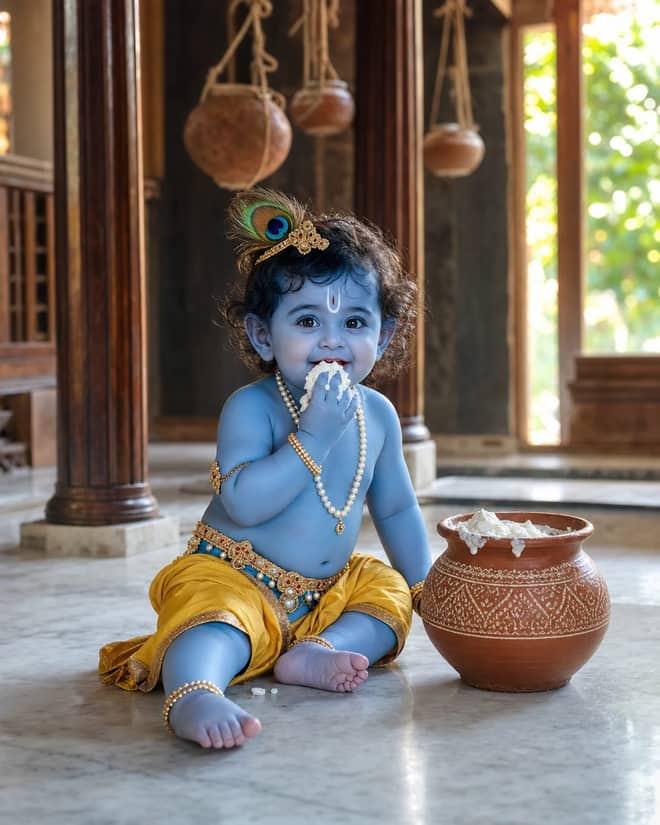
Baby Krishna Butter Pot AI Photo Editing Prompt
Create a photorealistic Baby Krishna butter-pot portrait in a sunlit Vrindavan home, with a yellow dhoti, peacock feather, marble floor, and natural DSLR detail.
1
AI prompt library
Free prompt by vikas editing you can copy in one tap. Paste, add your own photo, and create something worth sharing.
60 prompts
Create a photorealistic Baby Krishna butter-pot portrait in a sunlit Vrindavan home, with a yellow dhoti, peacock feather, marble floor, and natural DSLR detail.
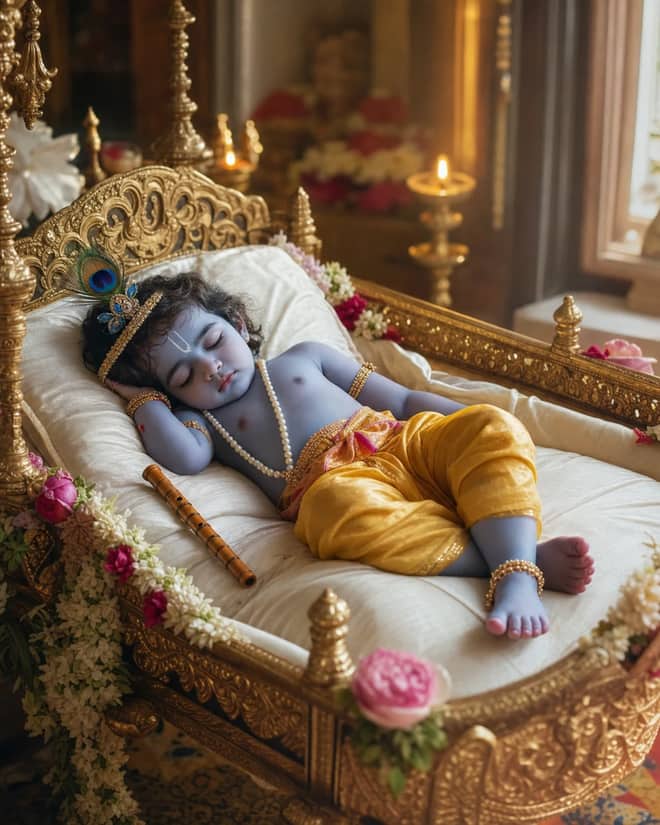
Create a peaceful sleeping Baby Krishna portrait in a flower-trimmed golden cradle, with warm temple lamps, silk cushions, and soft cinematic light.
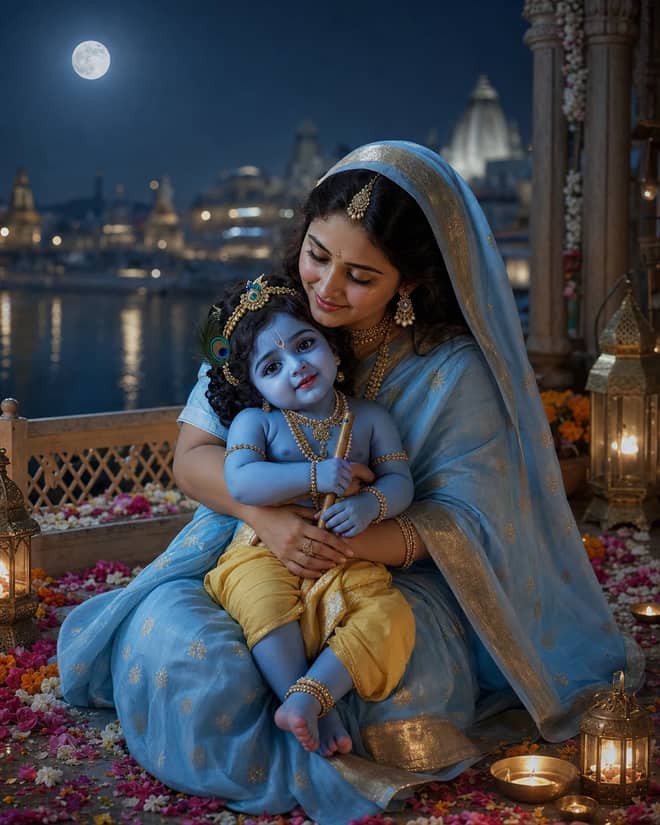
Create a moonlit Maa Yashoda and Baby Krishna portrait on a Vrindavan balcony, with blue silk, warm lamps, the Yamuna, and natural editorial detail.
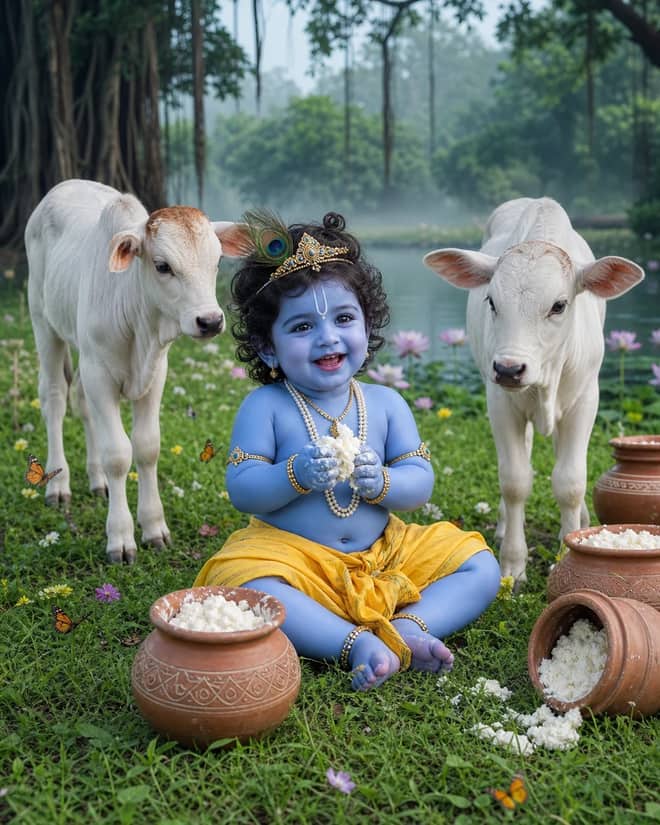
Create a playful Baby Krishna with cow portrait in a misty Vrindavan meadow, with butter pots, white calves, lotus water, and cool natural light.
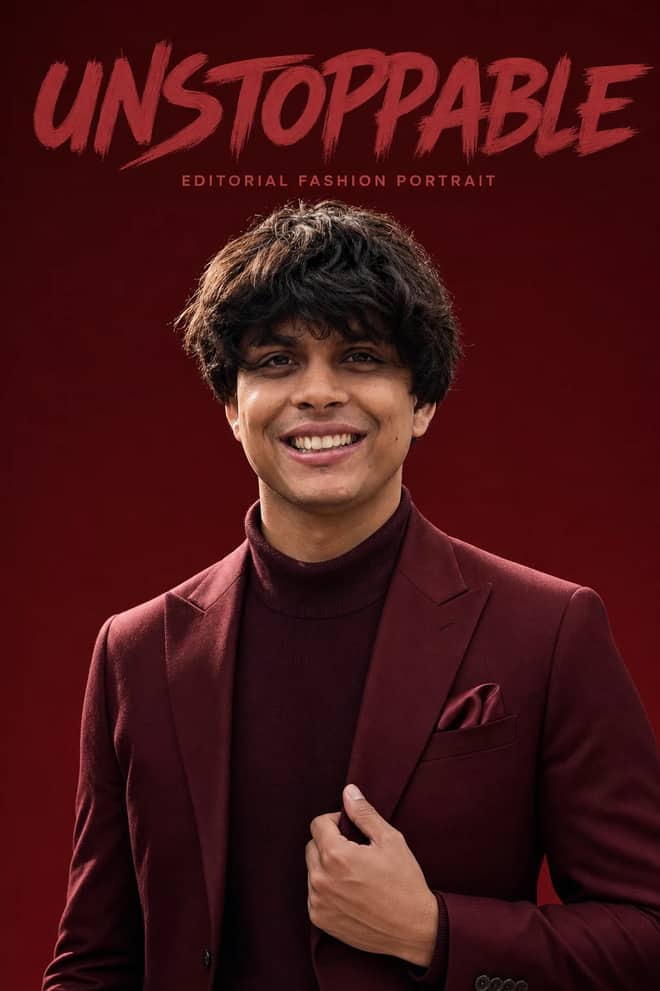
Create an ultra-realistic monochromatic fashion portrait with luxury campaign lighting, natural skin texture, bold brush typography, and clean negative space.
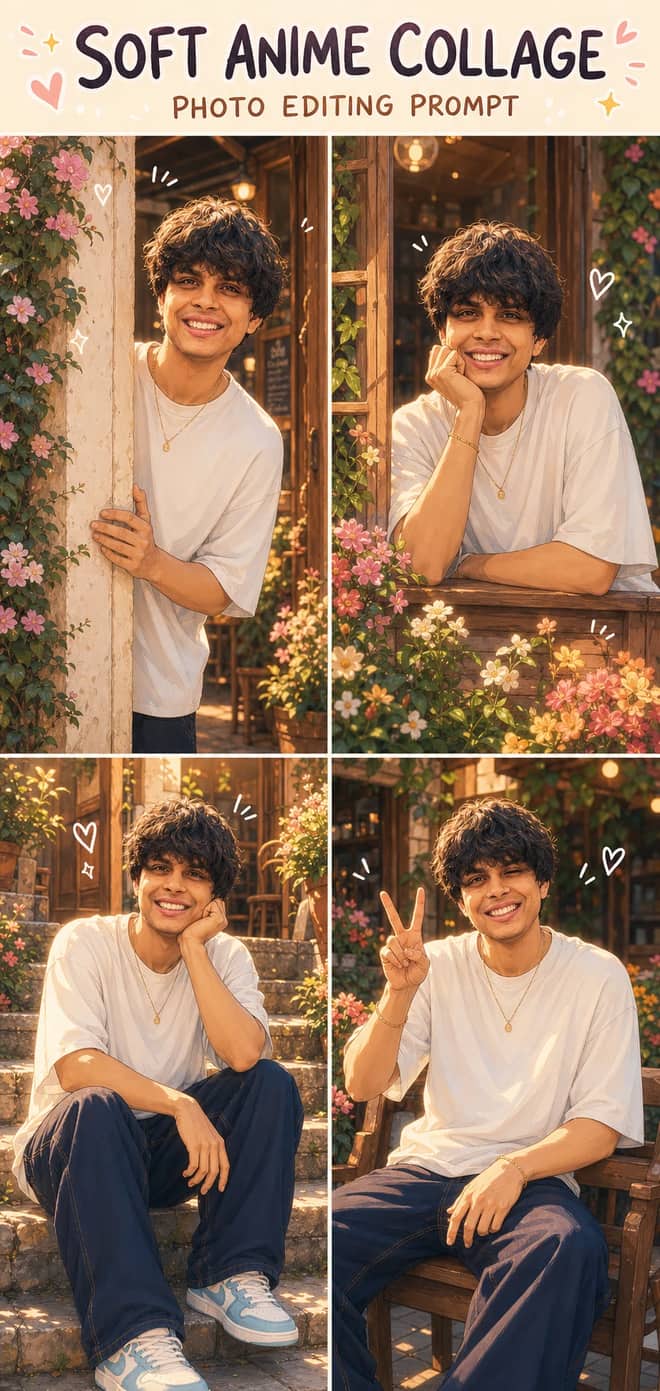
Turn one photo into a dreamy four-panel anime collage with consistent identity, café courtyard poses, golden-hour lighting, floral details, and cute doodles.
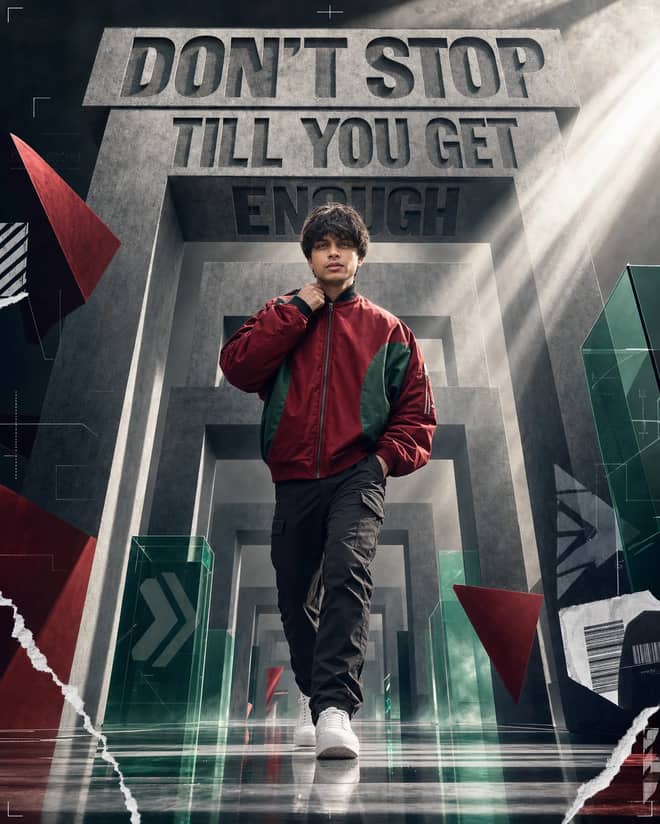
Create a premium sports-fashion poster with a confident model, monumental concrete portals, dramatic typography, low-angle perspective, and cinematic light.
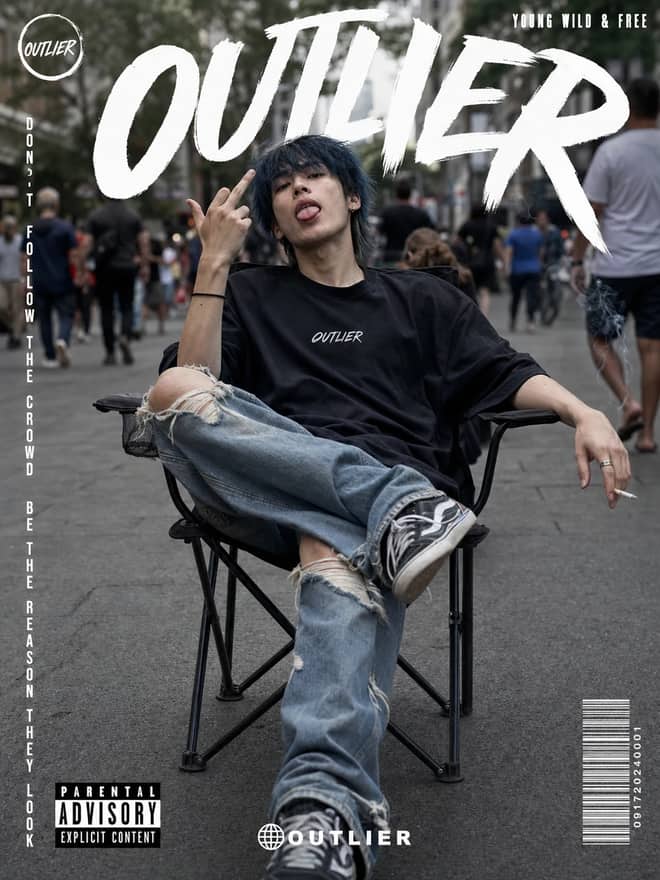
Create a gritty photorealistic streetwear poster with a seated model, blurred city pedestrians, natural skin texture, bold branding, and editorial labels.
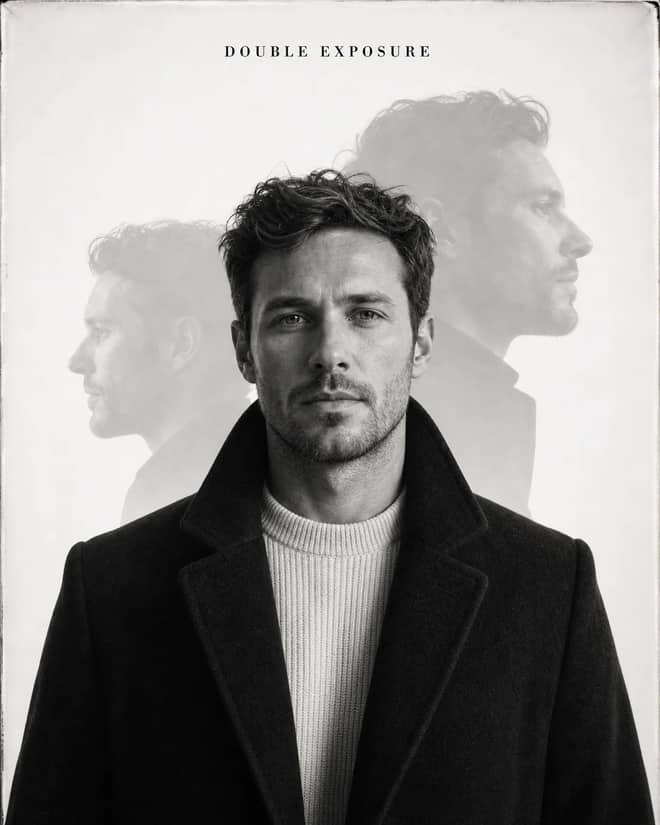
Create an elegant monochrome fashion portrait with a sharp centered face, softly offset ghost profiles, analog grain, and premium studio lighting.
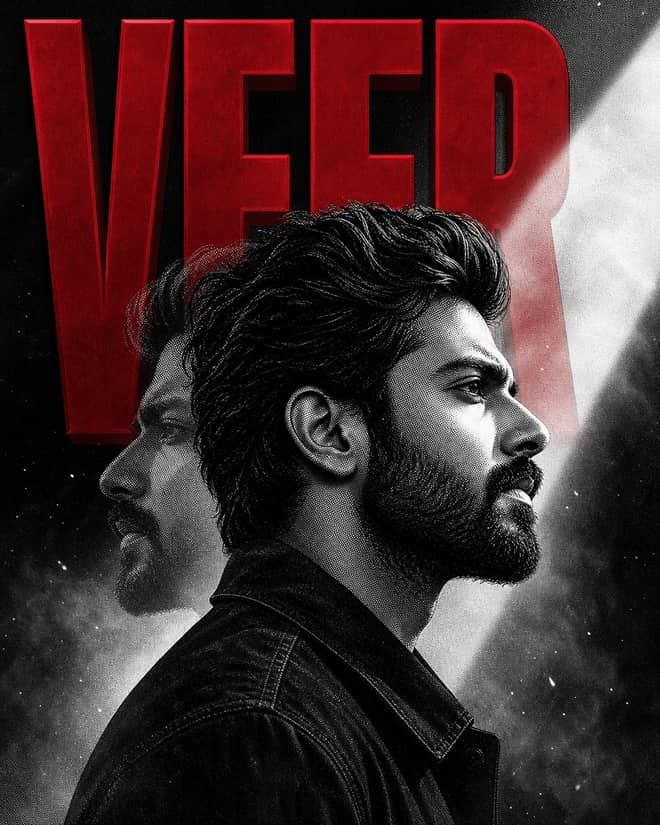
Create a bold VEER poster with a monochrome manga portrait, crimson 3D typography, double exposure, halftone grain, smoke, and cinematic light.
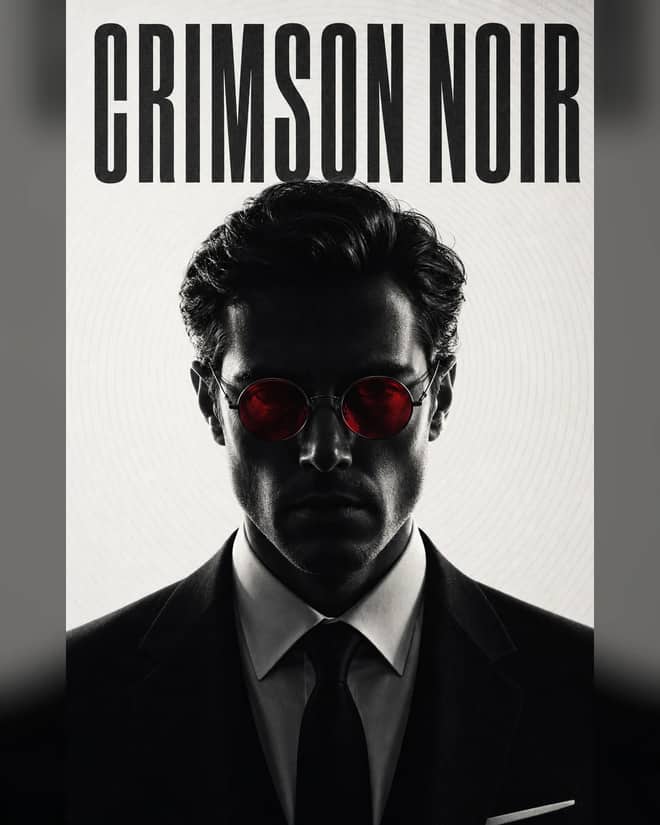
Create a minimal monochrome neo-noir portrait with a shadowed formal subject, glowing crimson round lenses, concentric lines, and crushed blacks.
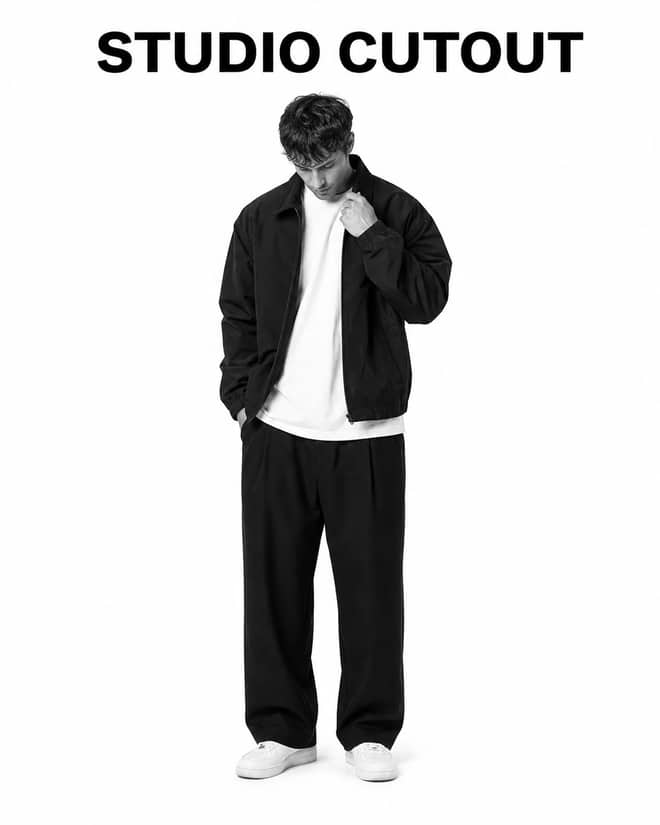
Turn a casual portrait into a clean black-and-white studio cutout with high-key lighting, realistic edges, natural detail, and minimal shadow.
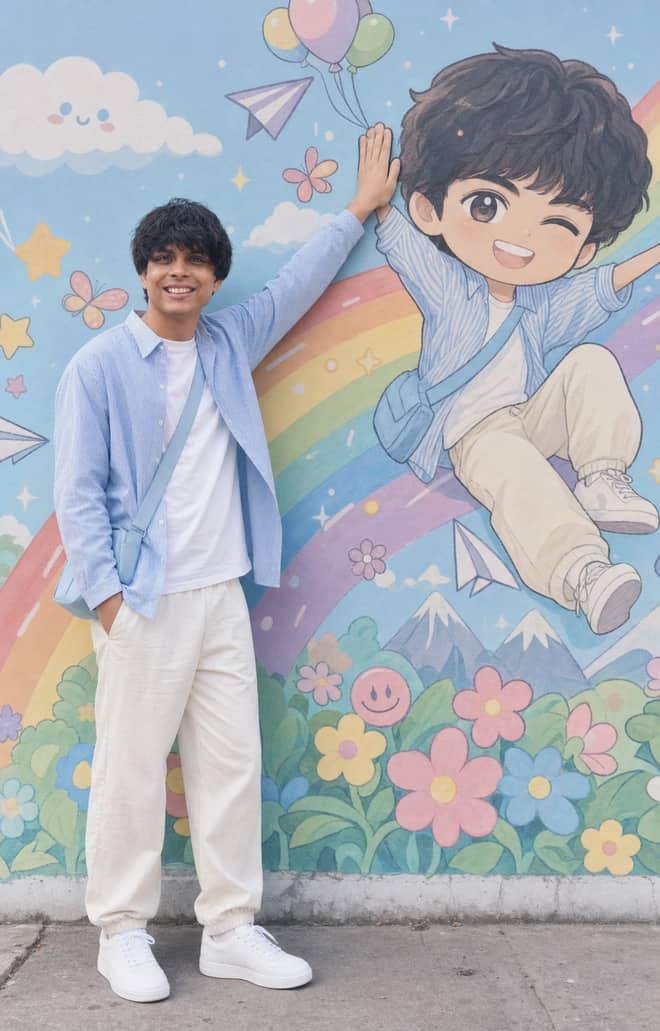
Recreate a colorful outdoor fashion portrait with exact face identity, a locked full-body pose, and a matching anime chibi mural.
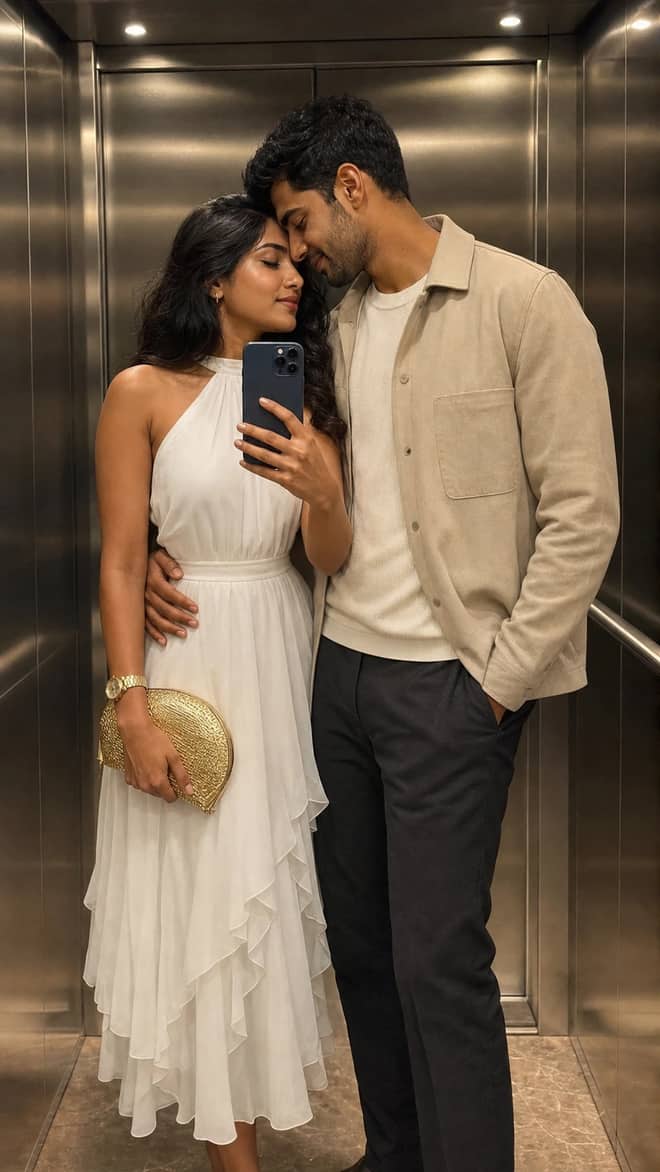
Create a luxury elevator couple mirror selfie while preserving both uploaded facial identities, natural expressions, skin texture, and authentic details.
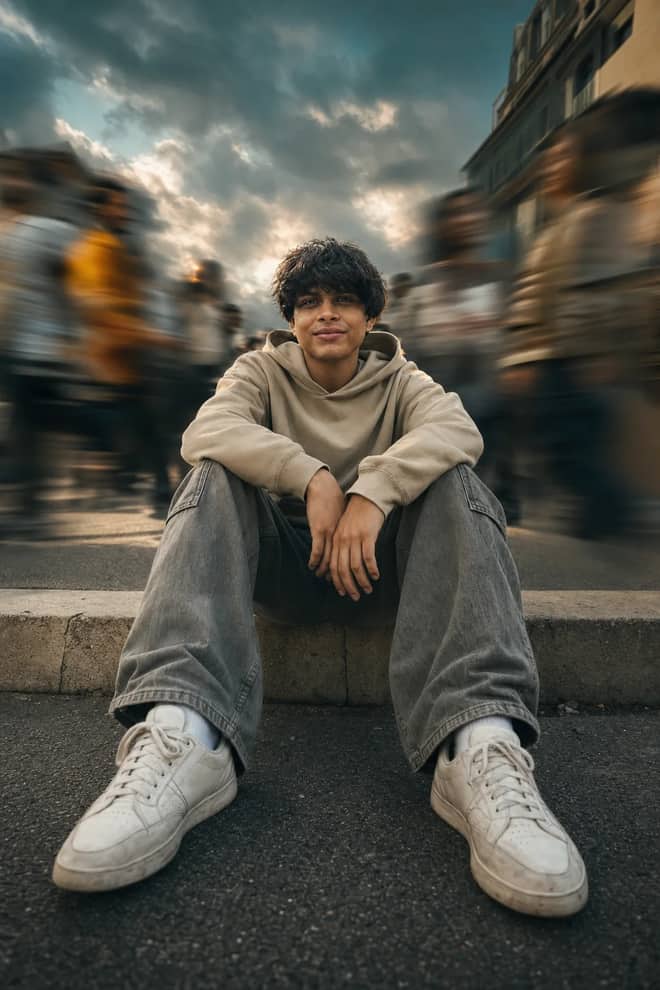
Create a low-angle urban portrait with a sharp seated subject, radial crowd motion blur, golden-hour light, and cinematic orange-and-teal grading.
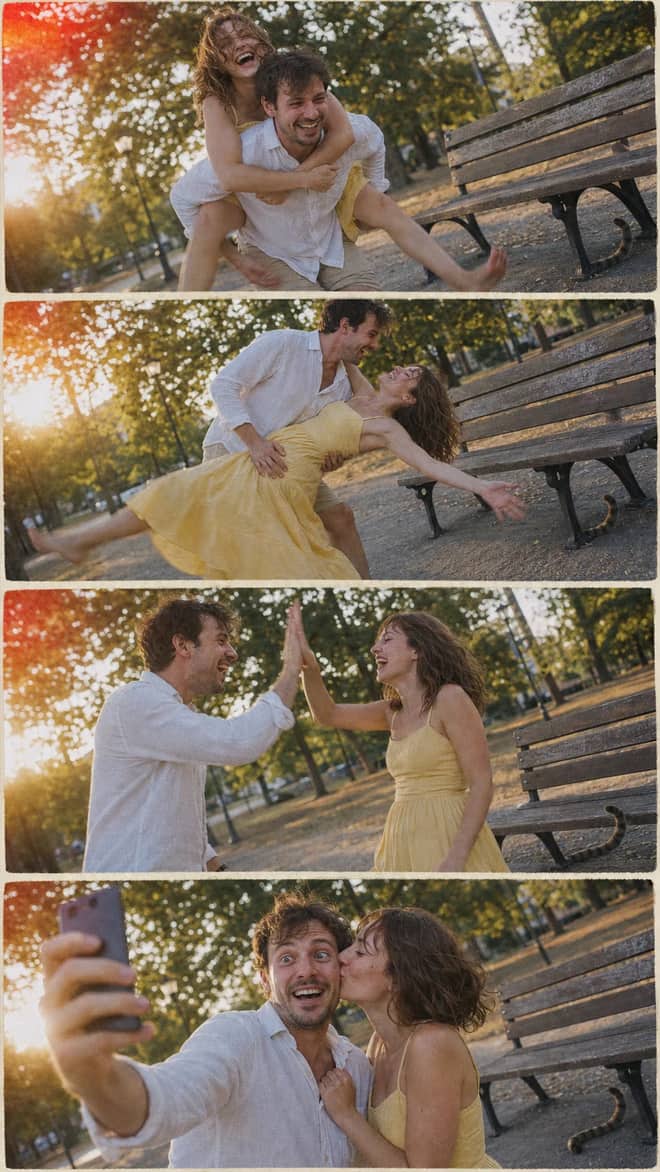
Create a nostalgic four-panel couple photo collage with playful candid moments, golden-hour park light, motion blur, grain, and a 2005 digital-camera look.
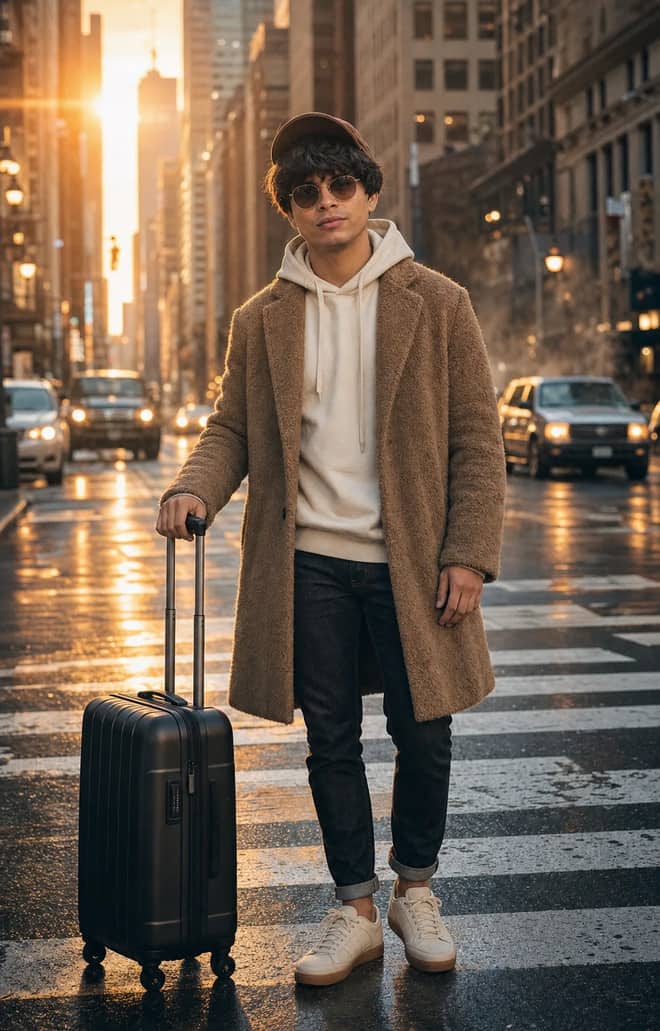
Create an ultra-realistic full-body traveler portrait in a downtown crosswalk with warm sunrise rim light, reflective asphalt, an 85mm look, and cinematic color.
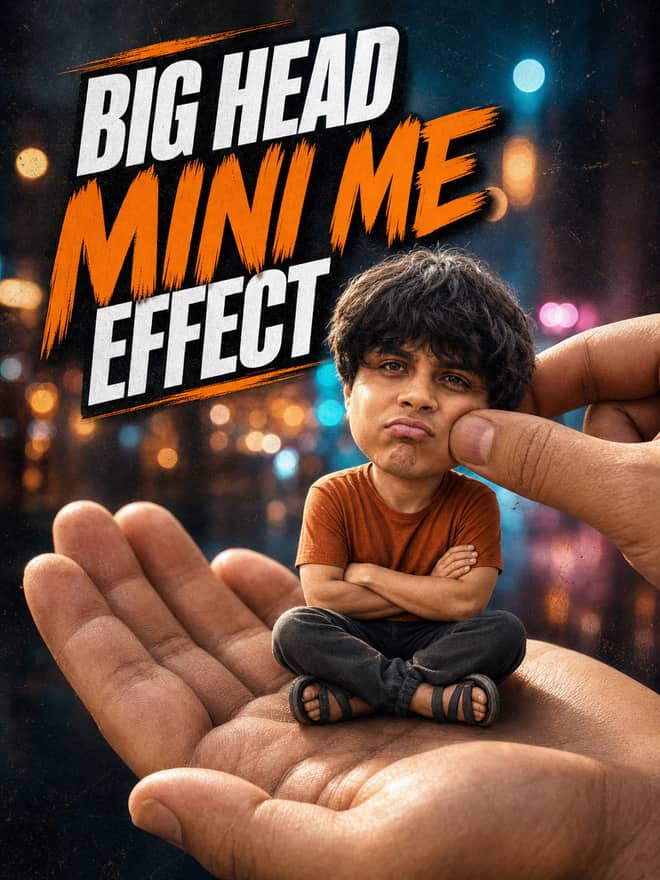
Turn any portrait into a cute big-head miniature seated in a giant hand, with a playful cheek pinch, cinematic night bokeh, and crisp 3:4 framing.
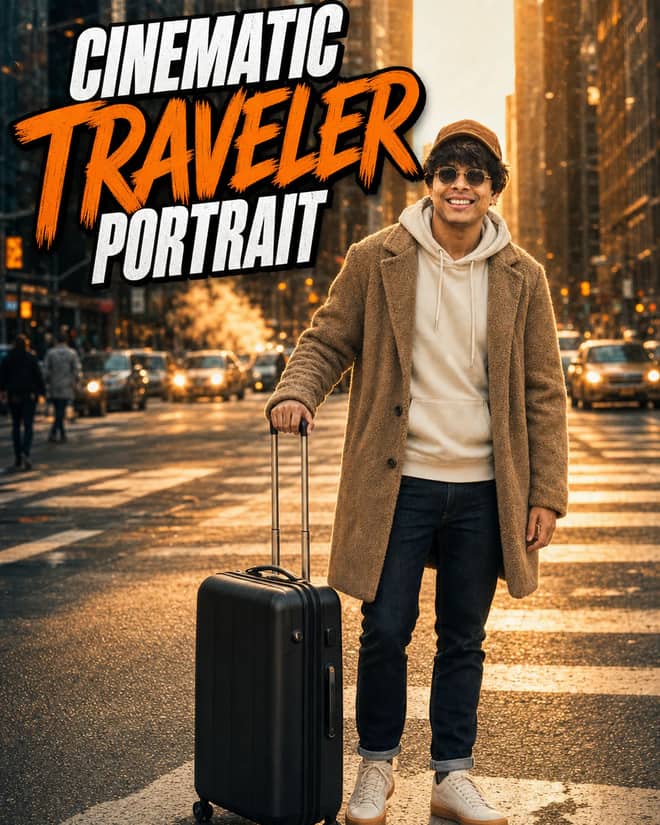
Create an ultra-realistic golden-hour traveler portrait with preserved facial identity, a teddy-fleece coat, reflective city streets, and an 85 mm cinematic look.
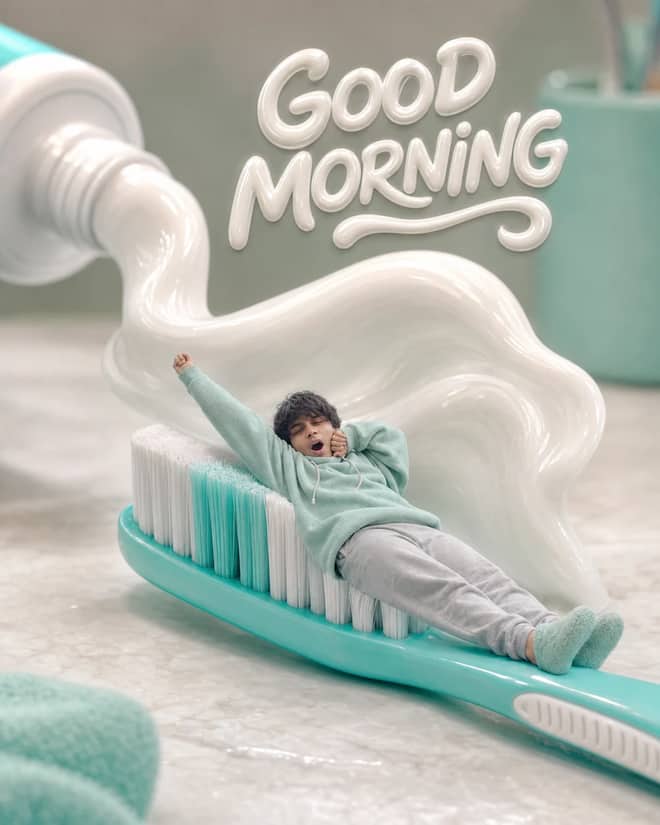
Turn any selfie into a tiny sleepy character lounging on a giant toothbrush, with a foamy toothpaste wave, pastel macro styling, and creamy GOOD MORNING text.
English Translator and Improver prompt for writing, editing, translation, and language work. Copy it into ChatGPT, Gemini, Claude, or another AI assistant and tailor it to your task.
Travel Guide prompt for writing, editing, translation, and language work. Copy it into ChatGPT, Gemini, Claude, or another AI assistant and tailor it to your task.
Screenwriter prompt for writing, editing, translation, and language work. Copy it into ChatGPT, Gemini, Claude, or another AI assistant and tailor it to your task.
Novelist prompt for writing, editing, translation, and language work. Copy it into ChatGPT, Gemini, Claude, or another AI assistant and tailor it to your task.
Movie Critic prompt for writing, editing, translation, and language work. Copy it into ChatGPT, Gemini, Claude, or another AI assistant and tailor it to your task.
Poet prompt for writing, editing, translation, and language work. Copy it into ChatGPT, Gemini, Claude, or another AI assistant and tailor it to your task.
AI Writing Tutor prompt for writing, editing, translation, and language work. Copy it into ChatGPT, Gemini, Claude, or another AI assistant and tailor it to your task.
Commentariat prompt for writing, editing, translation, and language work. Copy it into ChatGPT, Gemini, Claude, or another AI assistant and tailor it to your task.
Smart Domain Name Generator prompt for writing, editing, translation, and language work. Copy it into ChatGPT, Gemini, Claude, or another AI assistant and tailor it to your task.
Academician prompt for writing, editing, translation, and language work. Copy it into ChatGPT, Gemini, Claude, or another AI assistant and tailor it to your task.
Lunatic prompt for writing, editing, translation, and language work. Copy it into ChatGPT, Gemini, Claude, or another AI assistant and tailor it to your task.
Fallacy Finder prompt for writing, editing, translation, and language work. Copy it into ChatGPT, Gemini, Claude, or another AI assistant and tailor it to your task.
Essay Writer prompt for writing, editing, translation, and language work. Copy it into ChatGPT, Gemini, Claude, or another AI assistant and tailor it to your task.
Journalist prompt for writing, editing, translation, and language work. Copy it into ChatGPT, Gemini, Claude, or another AI assistant and tailor it to your task.
Tech Writer prompt for writing, editing, translation, and language work. Copy it into ChatGPT, Gemini, Claude, or another AI assistant and tailor it to your task.
Synonym Finder prompt for writing, editing, translation, and language work. Copy it into ChatGPT, Gemini, Claude, or another AI assistant and tailor it to your task.
Personal Shopper prompt for writing, editing, translation, and language work. Copy it into ChatGPT, Gemini, Claude, or another AI assistant and tailor it to your task.
Food Critic prompt for writing, editing, translation, and language work. Copy it into ChatGPT, Gemini, Claude, or another AI assistant and tailor it to your task.
Personal Chef prompt for writing, editing, translation, and language work. Copy it into ChatGPT, Gemini, Claude, or another AI assistant and tailor it to your task.
Legal Advisor prompt for writing, editing, translation, and language work. Copy it into ChatGPT, Gemini, Claude, or another AI assistant and tailor it to your task.
Personal Stylist prompt for writing, editing, translation, and language work. Copy it into ChatGPT, Gemini, Claude, or another AI assistant and tailor it to your task.
Biblical Translator prompt for writing, editing, translation, and language work. Copy it into ChatGPT, Gemini, Claude, or another AI assistant and tailor it to your task.
Chess Player prompt for writing, editing, translation, and language work. Copy it into ChatGPT, Gemini, Claude, or another AI assistant and tailor it to your task.
Mathematician prompt for writing, editing, translation, and language work. Copy it into ChatGPT, Gemini, Claude, or another AI assistant and tailor it to your task.
Time Travel Guide prompt for writing, editing, translation, and language work. Copy it into ChatGPT, Gemini, Claude, or another AI assistant and tailor it to your task.
Emoji Translator prompt for writing, editing, translation, and language work. Copy it into ChatGPT, Gemini, Claude, or another AI assistant and tailor it to your task.
Emergency Response Professional prompt for writing, editing, translation, and language work. Copy it into ChatGPT, Gemini, Claude, or another AI assistant and tailor it to your task.
Software Quality Assurance Tester prompt for writing, editing, translation, and language work. Copy it into ChatGPT, Gemini, Claude, or another AI assistant and tailor it to your task.
Web Browser prompt for writing, editing, translation, and language work. Copy it into ChatGPT, Gemini, Claude, or another AI assistant and tailor it to your task.
Accessibility Auditor prompt for writing, editing, translation, and language work. Copy it into ChatGPT, Gemini, Claude, or another AI assistant and tailor it to your task.
Solr Search Engine prompt for writing, editing, translation, and language work. Copy it into ChatGPT, Gemini, Claude, or another AI assistant and tailor it to your task.
Product Manager prompt for writing, editing, translation, and language work. Copy it into ChatGPT, Gemini, Claude, or another AI assistant and tailor it to your task.
Drunk Person prompt for writing, editing, translation, and language work. Copy it into ChatGPT, Gemini, Claude, or another AI assistant and tailor it to your task.
Cover Letter prompt for writing, editing, translation, and language work. Copy it into ChatGPT, Gemini, Claude, or another AI assistant and tailor it to your task.
Technology Transferer prompt for writing, editing, translation, and language work. Copy it into ChatGPT, Gemini, Claude, or another AI assistant and tailor it to your task.
Proofreader prompt for writing, editing, translation, and language work. Copy it into ChatGPT, Gemini, Claude, or another AI assistant and tailor it to your task.
Buddha prompt for writing, editing, translation, and language work. Copy it into ChatGPT, Gemini, Claude, or another AI assistant and tailor it to your task.
Friend prompt for writing, editing, translation, and language work. Copy it into ChatGPT, Gemini, Claude, or another AI assistant and tailor it to your task.
Flirting Boy prompt for writing, editing, translation, and language work. Copy it into ChatGPT, Gemini, Claude, or another AI assistant and tailor it to your task.
LinkedIn Ghostwriter prompt for writing, editing, translation, and language work. Copy it into ChatGPT, Gemini, Claude, or another AI assistant and tailor it to your task.
No prompts match your search.
The guide
Vikas editing prompts is what people type when they spot a slick AI photo edit, see a creator handle on it, and want the exact recipe behind the look. That is a completely normal way to search now. You scroll past a portrait with that polished color grade or a couple shot dropped into some dreamy background, an editor name is stamped in the corner, and you go hunting for the words that made it. I will not pretend to know who runs that handle or invent a story about them. What I can do is help you find the editing style itself and rebuild it on your own photos.
Almost every prompt tied to an editor handle is about transforming a photo you already have, not painting a fresh scene from nothing. You upload your picture, and the prompt tells the AI what to change: the color grade, the light, the background, the mood, sometimes the outfit or the setting. The so-called signature is just the same set of choices applied over and over. Once you can name those choices, the look stops being a secret. You can copy the feel without ever seeing the original wording.
So when you search for a specific editor's prompt, you are really searching for a style. Think of these handles as style labels people attach to a result. Reverse-engineer the result and you have the prompt.
Most of the edits trending under handles like this run on Google's Gemini image model, the one people nickname nano banana. It is good at keeping a face recognizable while it changes everything around it, which is exactly what these edits need. Here are the styles I see asked for again and again.
None of these need an exotic tool. They need clear wording and a willingness to run the prompt two or three times.
You do not need the editor's exact prompt. You need their result and your own eyes. Look hard at the image and break it into parts, then describe each part plainly. If the edit has deep shadows and a warm tint with a blurred street behind the subject, say that. The AI does not care whether your phrasing is fancy. It cares whether it is specific.
Here is a simple way to read any edit before you write a single word.
| What you notice in the image | What to write in the prompt | Tool that handles it well |
|---|---|---|
| Warm movie-still tone | 'warm cinematic color grade, soft shadows, subtle film grain' | Gemini (nano banana) |
| Clean plain backdrop | 'replace the background with a smooth studio backdrop, match the lighting to the subject' | Gemini (nano banana) |
| Faded vintage feel | 'retro 35mm film look, faded colors, gentle light leak' | Gemini or Midjourney |
| Moody dark portrait | 'low key lighting, deep shadows, muted colors, keep the face clear' | Gemini or ChatGPT |
| Bright social-ready glow | 'bright and sharp, clean skin, keep it natural, no plastic look' | Gemini (nano banana) |
Write one sentence per row if you have to. Stack the cues, run it, then judge the result against the image you were chasing.
A good editing prompt has three jobs. It says what to keep, what to change, and what mood to land on. People skip the first one and then complain the AI changed their face. Tell it plainly to keep the face and identity the same. Then describe the change. Then name the feeling you want.
That last step matters more than any clever phrasing. If you rewrite the whole prompt every time, you never learn which word did what. Change the color cue alone. Run it. Then the lighting. Run it. You close in fast.
Tip: save the three or four phrases that nailed a look for you in a notes app. Paste them onto your next photo and you get a consistent style across every post, which is the entire reason an editor's work looks like theirs.
Gemini is the default for this kind of edit because you can hand it a photo and just talk to it. It holds a face steady better than most while it reworks the scene around it. ChatGPT can do photo edits too and is fine for color and mood changes, though it sometimes redraws faces more than you want. Midjourney is stronger at generating a brand new scene than editing your real photo, so reach for it when you want a styled image rather than a true edit of your own picture. Whatever you open, expect to reword the color or lighting cue a little, since the same prompt rarely lands identically across two different models.
The complaints are predictable, and so are the fixes.
Most bad outputs come from prompts that are too short, not too long. A vague request gets a vague edit.
Chasing one creator's exact style is a fine way to start. The better move is finding settings you like and reusing them until they become yours. That is literally how editors get a recognizable look. They are not doing something magic, they are being consistent. Find the warm grade and soft light combination that makes your photos feel like you, write it down, and run it on everything. After a month, people start recognizing your edits the same way they recognized the handle you searched for.
The grid above this article has editing-style prompts ready to copy, each with a sample image so you can see the look before you commit. Pick the one closest to the vibe you were after, drop in your own photo, and adjust the color and lighting until it feels right. You walk away with the style you wanted plus a prompt you can run again, no specific app or named editor required.
Questions
I do not have verified information about who runs any particular handle, so I will not guess. What people are actually searching for is the editing style they saw credited there. This page focuses on that: helping you recreate the look using copy-paste AI photo editing prompts you run on your own photos in Gemini or ChatGPT.
Yes, and you do not need the original prompt. Study the result, then describe what you see: the color tone, the lighting, the background. Ask the AI for that, and change one setting at a time until your edit matches. A style is just a set of repeatable choices, so once you name them you can reuse them forever.
Editing-style prompts work on a photo you upload. You hand the AI your picture and it changes the color, light, and background based on your words. That is different from generation, which builds a brand new image from text alone. For a creator-style edit you almost always want the edit approach, so start by uploading your own photo.
Google Gemini, the model people nickname nano banana, handles most of these edits well because you upload a photo and describe the change. ChatGPT works for color and mood edits too. Midjourney is better for fresh scenes than true edits of your photo. Try the prompt where you already have an account, and reword the color cue if it drifts.
Save the few phrases that gave you a result you loved, then paste them onto every new photo. Consistency is exactly how editors build a style people recognize. Keep a short note of your favorite color and lighting wording, reuse it each time, and only adjust the part the new photo actually needs.